
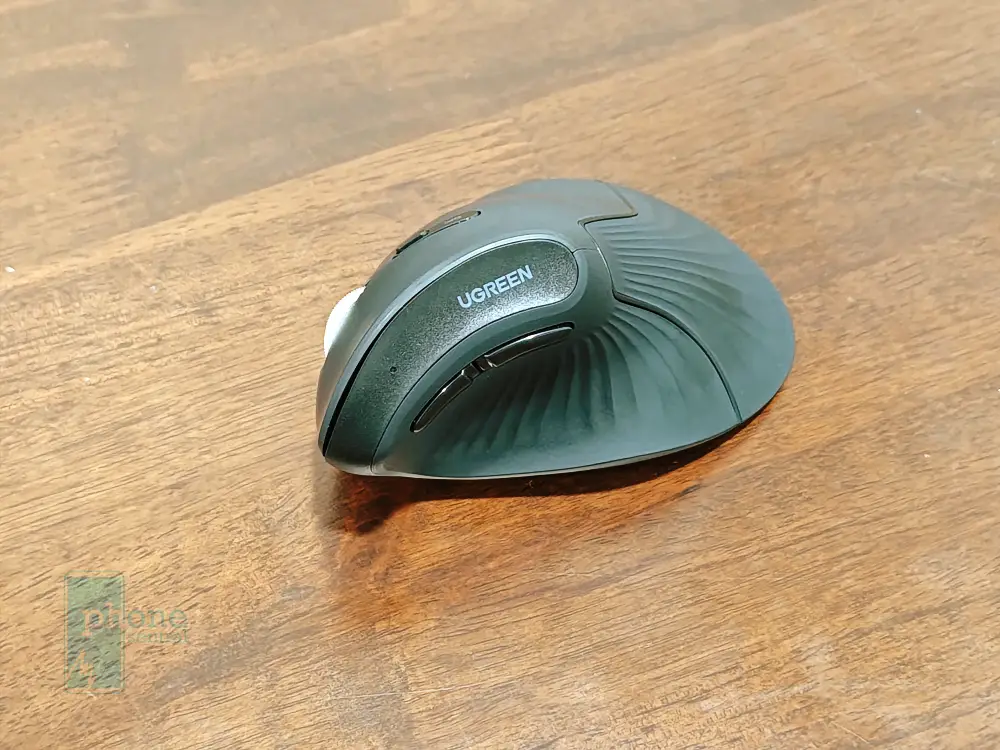
I spend hours glaring at a computer screen every day, and if you are like me, you are probably familiar with that nagging ache in your wrist and forearm.
We have all been there. Traditional flat mice force our arms into an unnatural twisted posture, and over time, that takes a heavy toll on our joints.
I’ve experienced this first hand, and hence why I decided to switch to an ergonomic mouse. I had used several brands in the past and found that Logitech, being the great brand they are, to be one of the few who can come up with a lasting ergonomic mouse.
And the ergonomic feature is more than just a label, it actually really helps lessen that strain I mentioned above.
However, Logitech devices don’t come cheap, and that’s why I decided it was time to test one out this ergonomic mouse from UGREEN
UGREEN presents a few ergonomic mouse models, but the one I have here is the UGREEN Multi-mode Vertical Mouse which is the most expensive of such mouse they have in their line-up, priced at RM119.
Despite the price, it’s still half and maybe one third of what Logitech charges for their ergonomic mouse equal.
Anyway, in this comprehensive UGREEN Multi-mode Vertical Mouse Review, I will share my honest, hands-on experience after using this uniquely shaped peripheral as my daily driver for work, casual browsing, and everything in between.
Main highlights
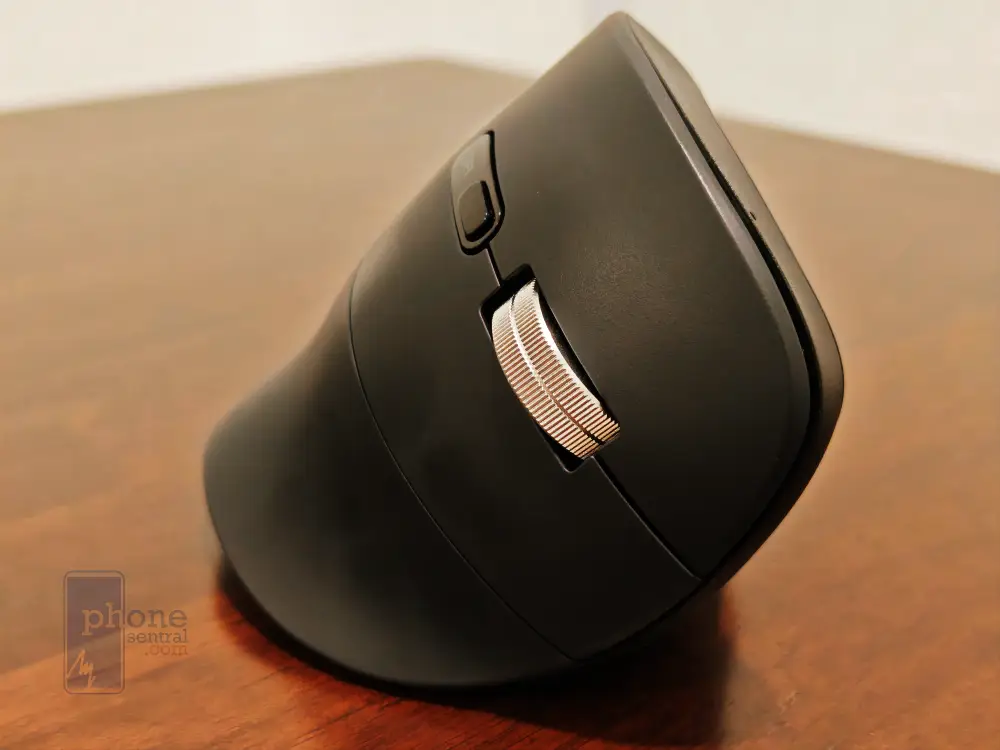
When you look at the marketing materials for this device, the brand makes a few bold promises that immediately catch the eye. The biggest highlight is undoubtedly the 57-degree ergonomic inclined angle, which UGREEN claims is the absolute sweet spot for keeping your arm in a natural “handshake” position.
Beyond the shape, they heavily promote its multi-mode connectivity. This means you can seamlessly connect the mouse to three different devices simultaneously using Bluetooth 5.0 and a 2.4GHz wireless USB receiver, switching between your laptop, tablet, and PC with a simple click.
Furthermore, they boast about a high-precision optical sensor capable of reaching up to 4000 DPI and a 99% silent click mechanism.
For a device sitting firmly in the budget-friendly category, these are flagship-level features that definitely raise expectations.
Design, body and durability
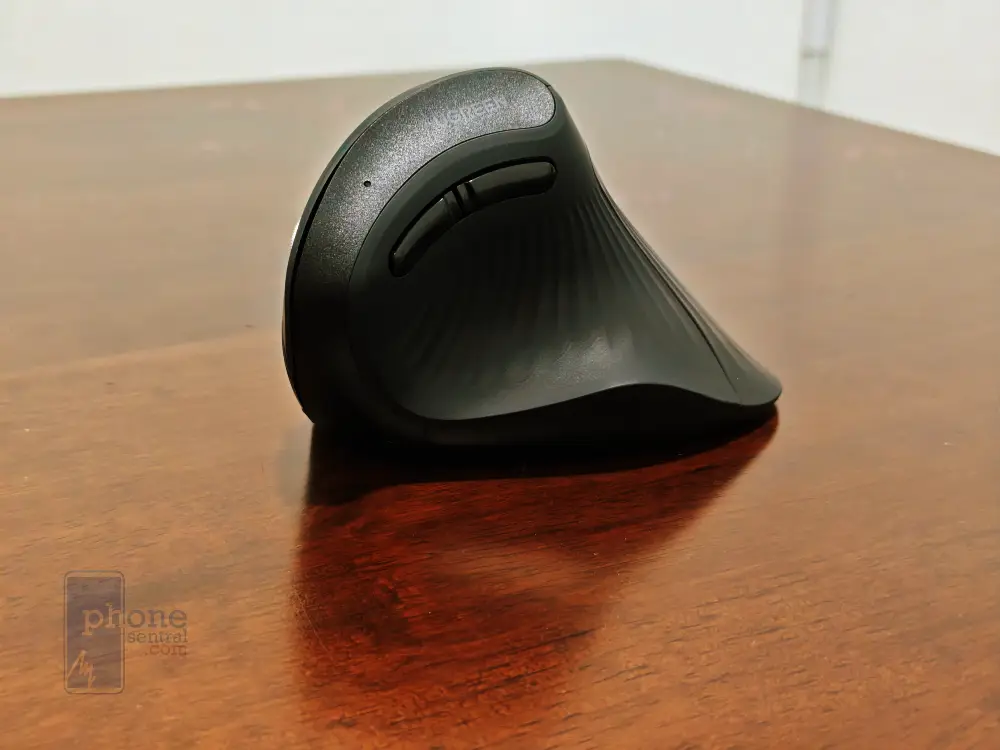
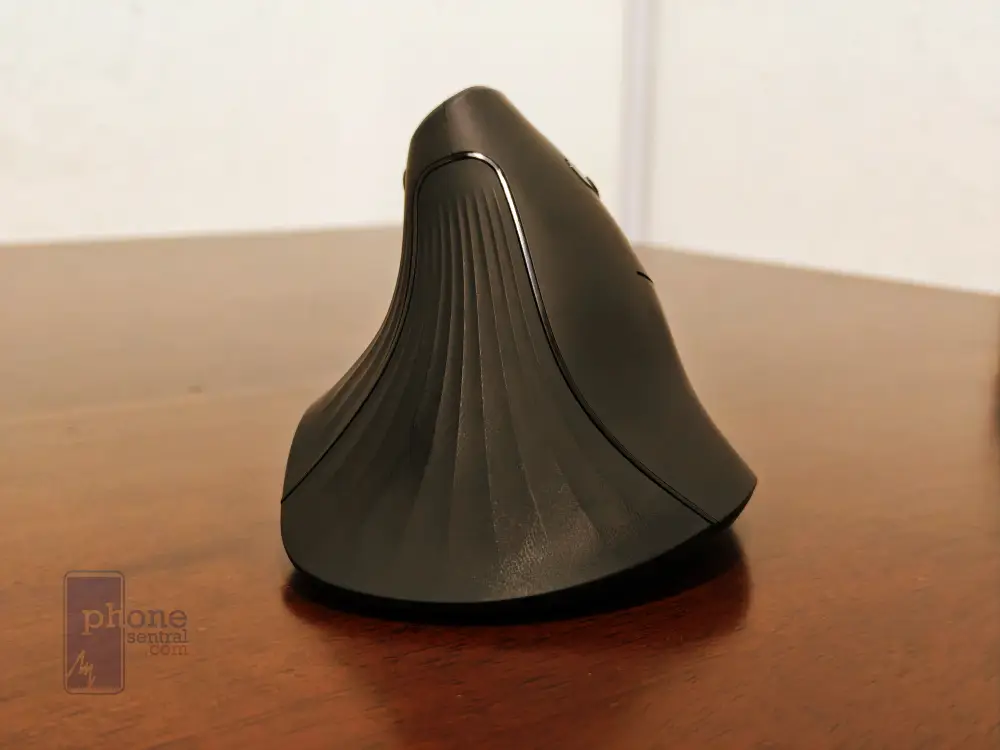
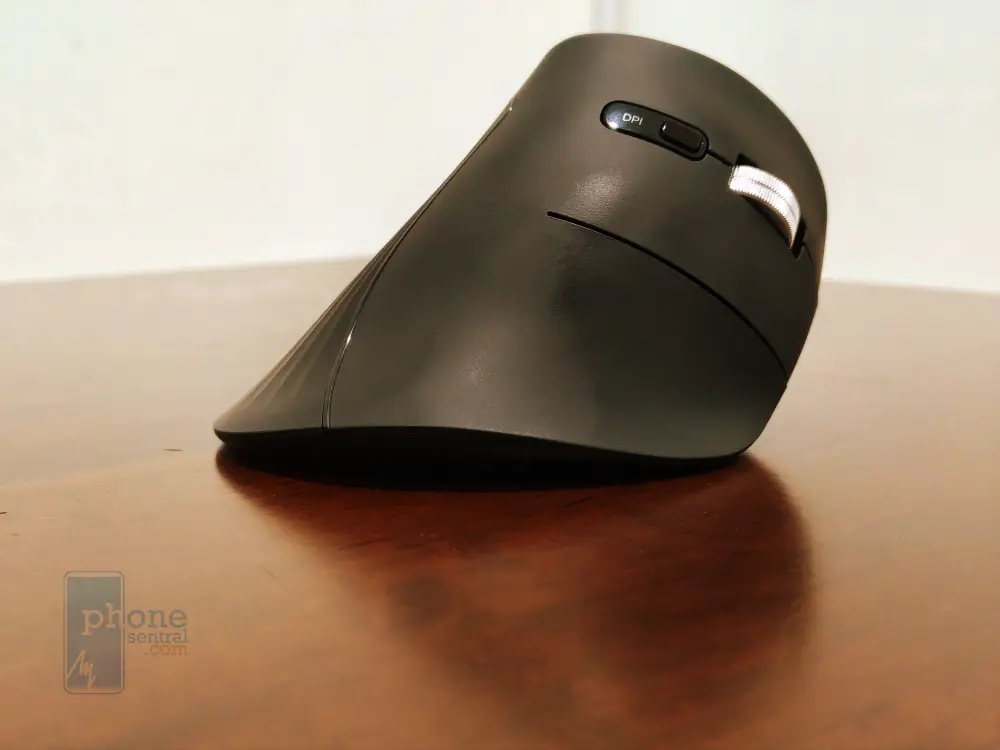
Taking it out of the box, the first thing that strikes you is how unconventional it looks. It stands tall like a little shark fin on your desk.
The body is constructed from high-quality ABS plastic and is coated in a smooth, matte soft-touch finish that feels surprisingly premium against the skin.
It does not attract greasy fingerprints or smudges, which is a massive bonus for those of us who like to snack while working. In terms of durability, I naturally had to put it through a bit of a stress test to see how it holds up to daily abuse.
Squeezing the plastic chassis firmly reveals absolutely no creaking or flexing, proving that the internal structural integrity is rock solid.
Even after accidentally knocking it off my desk onto a hard hardwood floor, it survived without a single scratch, dent, or loose rattling part inside.
The Teflon glide pads on the bottom are thick and robust, ensuring a buttery smooth movement across both fabric mousepads and bare wooden desks without wearing down prematurely.
Comfort
Let us talk about the most crucial aspect of any ergonomic device: how it actually feels in the hand.
When you first wrap your fingers around this mouse, it feels completely alien. Your muscle memory will be thoroughly confused. However, give it about a day or two, and the magic happens.
By tilting your hand at that 57-degree angle, the strain on the underside of your wrist vanishes completely. Instead of resting your weight on the sensitive carpal tunnel area, the weight is comfortably distributed along the fleshy side of your palm. I noticed a significant reduction in forearm fatigue after long marathon writing sessions.
The contoured thumb rest provides a cozy little shelf that prevents your thumb from dragging uncomfortably on the desk. It genuinely feels like the mouse was molded specifically for a human hand, making it a massive benefit for anyone looking to prevent repetitive strain injuries.
I would highly advice you to hold the mouse firmly with your hands stretching to the maximum it can so that your palm wrest on the mouse and not the table as I feel this further reduces strain on your hands.
Control and functions
Despite its odd shape, the control layout is incredibly intuitive once you adapt to the new hand posture.
You have your standard left and right-click buttons, but they feature an incredibly satisfying silent-click mechanism.
The noise reduction is fantastic; you get a distinct tactile bump without the loud, hollow clicking sound, making it perfect for quiet office environments, cafes, or late-night working sessions when others are sleeping.
The scroll wheel is rubberized and offers gentle but precise steps for scrolling through long web pages and spreadsheets. Right above your thumb rest are the forward and backward navigation buttons, which are an absolute lifesaver for web browsing.
Pairing the device is a breeze. You just plug in the tiny USB receiver or hold the pairing button underneath the mouse to connect via Bluetooth.
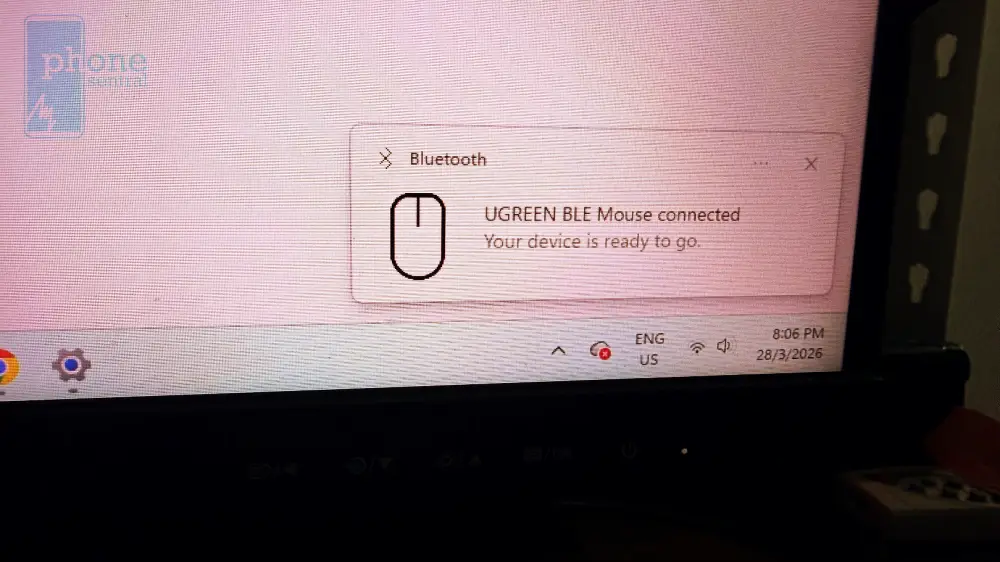
A small, subtle indicator light lets you know which of your three connected devices you are currently controlling.
Additionally, a dedicated button on top allows you to instantly cycle through different DPI speeds, adjusting how fast the cursor moves to perfectly match your monitor size and personal preference.
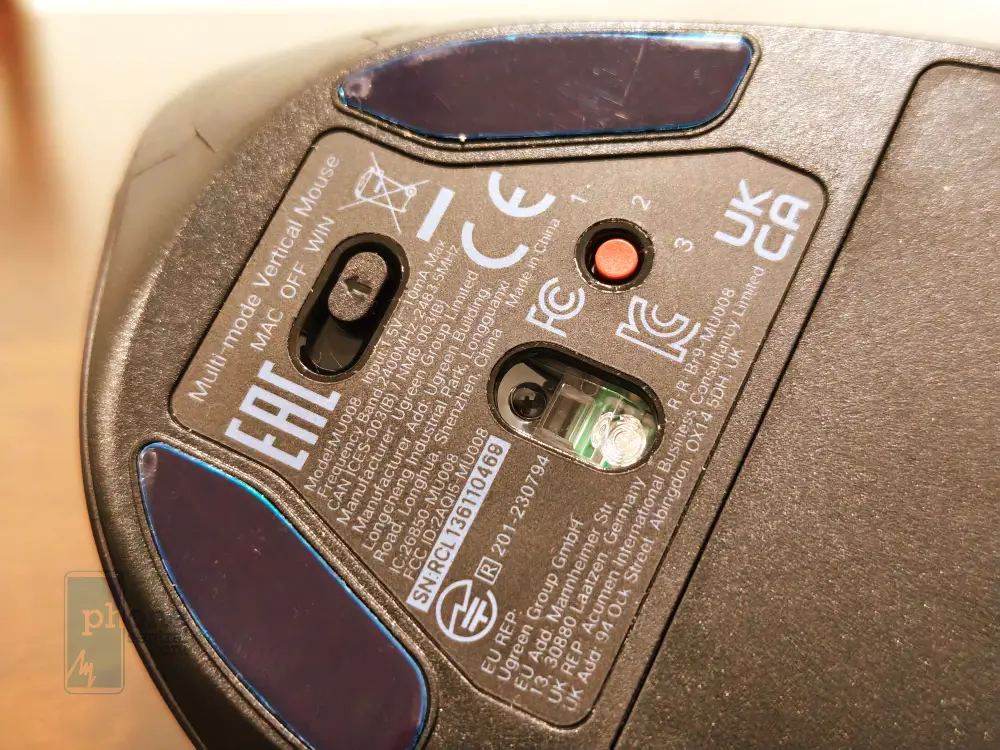
Battery and power
Unlike many modern peripherals that require you to plug them in via a USB-C cable every few days, this device goes old-school in the best way possible. It is powered by a single standard AA battery.
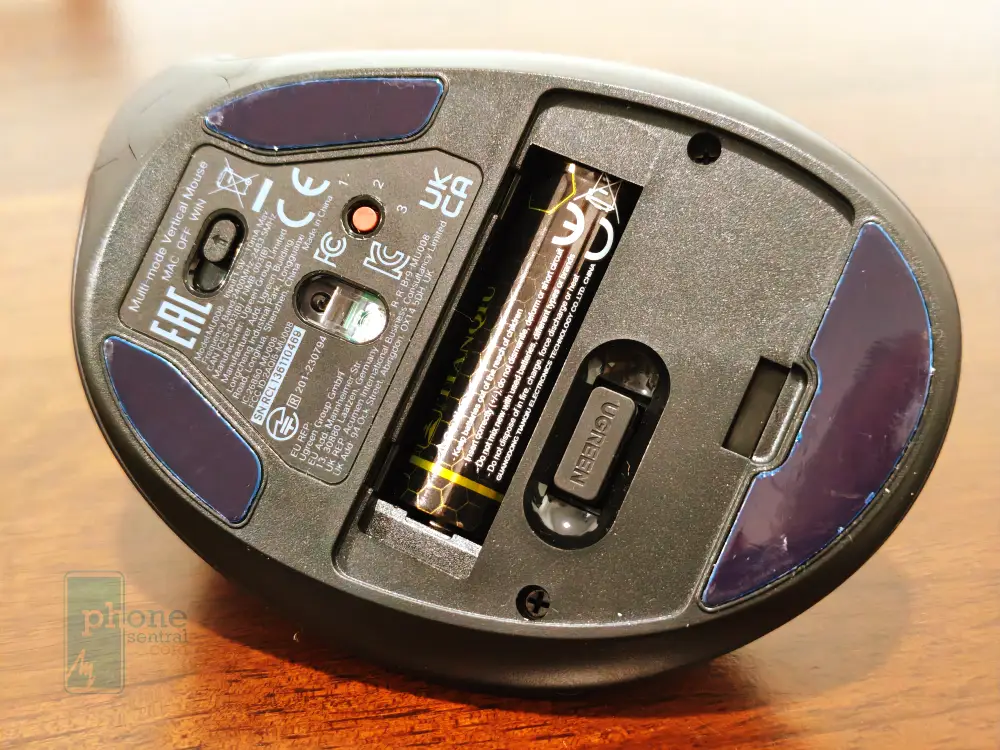
While some tech enthusiasts might balk at the lack of a built-in rechargeable lithium battery, the power efficiency here is absolutely staggering.
Thanks to an intelligent auto-sleep function that kicks in when the mouse is idle and a highly efficient low-power wireless chip, a single alkaline battery can last anywhere from 16 to 18 months depending on your daily usage.
It is incredibly refreshing to just drop a battery in and completely forget about it for a year and a half.
This makes it vastly superior to competing ergonomic mice in the same price bracket that leave you constantly tethered to a charging cable and suffering from battery anxiety.
Conclusion and Where to buy
To wrap things up, my experience with this device has been overwhelmingly positive.
If you are experiencing wrist pain, forearm fatigue, or just want to upgrade your home office setup with something significantly more comfortable, this mouse is an absolute no-brainer.
It delivers on all its promises, offering premium comfort, seamless multi-device switching, and stealthy silent operation at a fraction of the cost of high-end competitor brands.
It is best suited for right-handed office workers, students, and casual daily users who prioritize comfort over flashy RGB gaming aesthetics.
If you are eager to pick one up and save your wrists, you can easily find it on official UGREEN stores on Shopee and Lazada.
If you want to save more or get it at even cheaper prices, then I highly recommend holding out for the monthly double-digit sales like 11.11 or mid-month Payday sales, where you can often stack platform free-shipping vouchers and store discounts to grab it at a remarkably cheap price.